BlockSite: Block Apps & Sites
- 3.8
- Rating
- 10.00M
- Installs
- Free
- Price

 Analysis by App-foxy
I like the idea behind BlockSite: Block Apps & Sites because it addresses a very ordinary problem: opening one distracting app for a minute and losing much longer than planned. I tested it as a productivity tool rather than treating it as a magic cure for poor concentration. In that role, it can be genuinely useful, especially when your main problem is an easy-to-open website or app that keeps interrupting work.
This is a free productivity app from BlockSite, available for Android users aged Everyone. It has been around since February 27, 2018, and its current version is 2.13.4.10238. The app has passed the ten-million-install mark and holds an average rating of 3.8 from roughly fifty-seven thousand ratings, which suggests a large audience but also a fairly mixed experience. That combination matches my impression: the basic idea is clear, while the setup and day-to-day reliability deserve more attention than the short store description suggests.
Where the experience usually gets stuck
The first surprise is that blocking distractions is not simply a matter of tapping a switch. The app needs to know what you want to avoid, when you want to avoid it, and how strict the restriction should feel. If those choices are vague, the result can be either too weak to matter or so aggressive that you immediately want to undo it.
You May Also Like

 Blood Strike: 2.5 Anniversary
Blood Strike’s Loadouts Turn Every Drop Into a Tactical Gamble
A close look at Blood Strike’s custom loadouts: how fast access to signature weapons reshapes its battle royale rhythm, rewards preparation, and narrows the gap between fights.

 Pandora - Music & Podcasts
Pandora’s Music Is Easy to Start, but Harder to Recover
Pandora’s strength is its low-effort path from a seed to a station. Its weak spot is how much confidence it asks you to place in connection, setup, and quiet recovery.

 8 Ball Pool
 Is Built on Rivalries, Rematches, and Routine
A close look at the rivalries, rematches, shared routines, and unanswered safety questions that turn a quick pool match into a persistent mobile community.

 Samsung Music
’s Quiet Strength Is Playing What You Already Own
Its reach comes less from spectacle than from dependable access to a personal library. That simplicity is both the app’s strongest retention engine and its ceiling.

 AccuWeather: Weather Radar
AccuWeather Review: A Quick, Clear Forecast for Everyday Decisions
For everyday plans, the best forecast is the one you can understand quickly. AccuWeather makes rain timing, radar, and local conditions easy to act on, with a few trade-offs.

 Hill Climb Racing
Why Hill Climb Racing Still Turns Crashes Into One More Run
A tiny car, a bumpy hill and one more upgrade: Hill Climb Racing keeps resurfacing because its simple chaos makes every near-miss feel personal.
More From Our News Desk



I would begin with one or two specific targets instead of adding every tempting app and website at once. For example, if I am trying to finish a report, I might block a social feed and a video site while leaving messaging available for urgent contact. That narrower approach makes it easier to tell whether the problem is the blocked destination, the schedule, or my own habit of reaching for something else.
The most important practical lesson is to treat BlockSite as a boundary-setting tool, not a replacement for a complete productivity system. It can remove a quick route to distraction, but it cannot decide what task deserves attention, organize a complicated project, or solve notifications from services that remain allowed.
Another common sticking point is expecting every form of distraction to disappear. Blocking a particular app does not automatically block the same service in a browser, and blocking a website does not necessarily change what happens inside another app. I found it more useful to think in terms of access routes: identify where I normally reach the distraction, then configure the relevant app or site rather than assuming one entry point covers everything.
There is also a human factor. If I create a rule during a moment of enthusiasm and make it unnecessarily restrictive, I am more likely to disable it later. A rule that survives an ordinary busy day is better than an impressive setup that lasts only until the first unexpected message or deadline.
Start with a small experiment
A sensible first session is short and deliberate. I would choose one recurring distraction, set a realistic period for avoiding it, and continue with normal phone use. This reveals whether the app fits the way I actually work. It also prevents a frustrating situation in which an important tool is blocked simply because it happens to sit near entertainment apps on the same device.
For a student, that might mean restricting a game during a study block while keeping a calculator, notes app, and school communication available. For someone working from home, it could mean limiting a social network during writing time without blocking the browser entirely. Those examples sound simple, but the distinction matters: useful productivity controls should remove the unwanted behavior while preserving the tools needed to complete the job.
I would also decide in advance what should happen if an urgent need appears. If a blocked service is sometimes used for work, customer contact, family communication, or account access, it may not belong in a strict all-day rule. The app is most comfortable when the blocked destinations are genuinely optional for the chosen period.
Setup checks that prevent avoidable frustration
Before judging the app, I recommend checking the target list carefully. Look for both the distracting app and the website version if you normally use both. A browser shortcut, a second browser, or a different route to the same service can make a block appear ineffective even though the original rule is still present.
It is equally important to review schedules rather than assuming that a rule is active all the time. A time-based restriction can be perfectly configured and still seem broken if the current moment falls outside its intended window. I would test a rule during the period when I expect it to work, then check whether the selected destination is actually the one I opened.
Android versions and phone manufacturers can handle background behavior differently. BlockSite supports Android 7.1 and later, but that does not mean every device treats app activity in exactly the same way. Battery management, system restrictions, or device-specific settings may interfere with an app that needs to remain available while you move around the phone. If blocking behaves inconsistently, I would first inspect the phone’s battery and background-management settings before assuming the rule itself is wrong.
This is not a reason to change random system options. It is a reason to make one change at a time and test again. If I alter several settings together, I lose the ability to identify what fixed the problem—or what created a new one.
Notifications deserve their own check. Blocking access to an app does not necessarily remove notifications generated before the block, nor does it stop every reminder delivered through an allowed channel. If the real distraction is the notification rather than the app itself, I would review the phone’s notification controls as well. BlockSite can help with access, but the operating system may still need to handle alerts.
Keep the first configuration reversible
I prefer a setup that I can understand without opening the app repeatedly. Use clear targets, avoid overlapping rules until the basic behavior is clear, and write down what the restriction is meant to accomplish in practical terms. “No social apps while writing” is easier to evaluate than “block everything distracting,” because the first goal has a visible end point.
There is also a useful distinction between blocking a destination and changing the environment around it. If I am tempted by a website because it is one tap away, removing that route may be enough. If I am checking the phone because I am anxious about missing something, a block alone will probably not solve the habit. In that case, I would combine the app with a planned work interval, a visible task list, and fewer nonessential notifications.
The free price makes experimentation approachable, but the app also includes in-app purchases ranging from forty-nine cents to one hundred ninety-nine dollars per item. I would not pay simply because the initial setup feels confusing. First, I would confirm that the basic blocking workflow matches my needs, then examine any paid option carefully before committing. The existence of purchases does not make the free version useless, but it does mean that users should distinguish between a technical problem and a feature boundary.
Recovering a workflow when blocking feels wrong
When I hit a blocked screen at the wrong moment, my first response would be to pause instead of repeatedly tapping around. I would ask three questions: did I choose the correct app or site, is the current time inside the intended schedule, and is the blocked route genuinely unnecessary right now? Those checks often reveal that the rule is doing exactly what I asked, even if my priorities have changed since I created it.
If the restriction is too broad, I would adjust the target list rather than abandoning the whole system. Removing one essential app can preserve the benefit of blocking several distracting ones. This is especially important on a phone used for both personal and professional tasks, where the same application may be entertainment at one hour and work at another.
If the restriction seems too weak, I would map my actual escape routes. Suppose I block a social app but continue reaching the same service through a browser. The next step is not necessarily a more severe schedule; it may simply be adding the browser-based route. Likewise, if I move from one video app to another, the issue may be a general browsing habit rather than a single target. In that situation, I would use BlockSite for the most disruptive destinations and address the remaining behavior with a separate routine.
A realistic example is an afternoon writing session. I might prepare a document, open research tabs, and then notice that short visits to a social feed are breaking my concentration. I could block that feed for the writing period while keeping research and email available. If I later discover that I am switching to a different entertainment site, I have learned something useful: the original distraction was only one expression of a broader avoidance pattern. The app still helped, but it did not pretend to be the entire solution.
Recovery also means knowing when to stop changing settings. Constantly editing a block can become its own form of procrastination. I would make one measured adjustment, return to the task, and evaluate the result after a normal work period rather than judging it after every urge to check the phone.
Use it as a deliberate friction layer
The strongest use case is not permanent isolation. It is adding enough friction to interrupt an automatic action. If I have to stop and confront a restriction instead of opening a feed without thinking, I gain a moment to decide whether the visit is intentional. That moment can be more valuable than an elaborate productivity dashboard.
For people who repeatedly override their own plans, however, the app may feel less effective. Any self-managed blocking tool depends partly on the user respecting the chosen boundary. Someone seeking a completely enforced environment may prefer device-level controls, workplace-managed restrictions, or a setup controlled by another trusted person. Those alternatives can be better when self-discipline is not the main issue, though they may also be less flexible.
Parents and families should be particularly careful about assumptions. The Everyone age rating describes the app’s content suitability, not a guarantee that it replaces supervision or family device management. I would treat it as a personal focus aid unless the family has separately confirmed that its controls match the intended household rules.
When the app is not the cause
Not every failed block is caused by BlockSite. A phone may be offline, the wrong route may have been selected, or the operating system may be limiting background activity. A user may also be testing a block outside its schedule and concluding that it has failed. These possibilities are mundane, but checking them in order is faster than repeatedly reinstalling or changing every setting.
The problem may also be the device itself. If several apps are slow, notifications arrive late, or the phone frequently closes background processes, a blocking tool is only one part of a larger reliability issue. In that case, I would test ordinary phone behavior first. If the device is struggling generally, focusing on BlockSite alone will produce a misleading diagnosis.
There is a second kind of false alarm: the app is working, but the user is distracted by something it was never designed to cover. A blocked social network will not prevent compulsively checking the weather, reorganizing icons, reading unrelated email, or switching to another allowed service. The right response is not always to block more. Sometimes the better move is to define the task, put the phone farther away, or schedule a short break so the urge has a legitimate outlet.
Privacy and comfort can matter too. Some users will appreciate a focused tool that stays out of the way once configured; others will dislike granting a productivity app a role in controlling access to parts of the phone. I would only use it if I felt comfortable with that arrangement and understood the behavior I was enabling. If the required setup feels disproportionate to the distraction, a simpler method—logging out, removing a shortcut, or using a built-in device setting—may be the better choice.
People who need detailed project planning should also look elsewhere. BlockSite is not a task manager, calendar, note-taking system, or time-tracking replacement. Its value is narrower and clearer: it helps reduce access to selected distractions. A full productivity suite will be more appropriate for someone whose main difficulty is planning, prioritizing, or monitoring work rather than resisting particular apps and websites.
My practical verdict after using it
I would recommend BlockSite to someone who knows exactly which apps or websites keep derailing a work, study, exercise, or rest routine. It is especially suitable when the distraction is repetitive and easy to reach, because adding a deliberate pause can break the automatic pattern. The free entry point makes it reasonable to try, and the app’s long availability and large install base show that this is not an obscure experiment.
My recommendation comes with a condition: start modestly, verify the target routes, and test the schedule before building a strict system around it. The current version, 2.13.4.10238, runs on Android 7.1 and later, so compatibility begins with the operating system, but the actual experience can still depend on the phone’s background and battery behavior. If the block seems unreliable, troubleshoot those basics before deciding that the app is ineffective.
The average rating of 3.8 from about fifty-seven thousand ratings is a useful reminder to keep expectations realistic. This is a practical aid, not an invisible force field around your attention. It can remove a tempting doorway, but it cannot stop every form of avoidance or make an unclear task suddenly engaging.
I would skip it if I need comprehensive parental management, strict externally controlled restrictions, detailed project organization, or a solution that works without any personal cooperation. I would also hesitate if I only have a vague feeling that I am “too distracted” but cannot identify the specific apps and sites involved. In that case, a short observation period may be more useful than immediately creating blocks.
For my own use, the best workflow is to choose a small set of destinations, pair the restriction with a clear task, check notifications and device settings separately, and adjust only after observing a real session. Used that way, BlockSite earns its place as a focused productivity app: not because it does everything, but because it can make one unhelpful habit slightly harder to follow. That modest friction is often enough to help me return to the work in front of me.
FAQs for BlockSite: Block Apps & Sites
01What is BlockSite: Block Apps & Sites used for?
BlockSite is a productivity and digital-wellbeing app designed to restrict access to distracting websites and mobile applications. After installing it, you can create personal blocklists, schedule periods when certain content should be unavailable, and use focus-oriented tools to reduce interruptions. It can be useful for studying, working, limiting social media, or creating healthier browsing habits, although the exact features may vary depending on the device and subscription plan.
02How do I block an app or website with BlockSite?
The setup is generally straightforward: open BlockSite, follow the requested permissions, and add the applications or website addresses you want to restrict. You can usually choose individual items, categories, or predefined focus settings. Website blocking may depend on the browser and operating-system permissions, so it is important to complete the onboarding instructions carefully. Test your blocklist afterward to confirm that it works as expected.
03Can BlockSite create schedules for blocking apps and websites?
Yes, scheduling is one of BlockSite’s most useful features. You can set specific days and times during which selected apps or websites remain blocked, such as school hours, work sessions, bedtime, or designated phone-free periods. This makes the app more practical than manually blocking content every time. Before relying on a schedule, check that your device’s time settings, permissions, and battery restrictions do not interfere with background operation.
04Does BlockSite completely prevent access to blocked content?
BlockSite can be effective for everyday distraction control, but it should not be viewed as an unbreakable security system. Its performance depends on the permissions granted, the device configuration, supported browsers, and the user’s ability to change settings or uninstall the app. Some advanced controls may be available only with a paid plan. Parents should also use appropriate device-level supervision tools rather than relying on BlockSite alone.
05Is BlockSite free, and is it safe to use?
BlockSite typically offers a free version with basic blocking tools, while additional features may require a subscription or in-app purchase. Because the app needs permissions to monitor and restrict app or website usage, review the requested access before enabling it and download only from the official Google Play Store or Apple App Store. Also read the current privacy policy, since availability, pricing, permissions, and data practices can change with updates.
Pros
- Blocks distracting apps and websites across devices.
- Custom schedules make it easy to protect work or study time.
- Focus mode helps reduce impulsive phone checking.
- Password protection can prevent quick changes to restrictions.
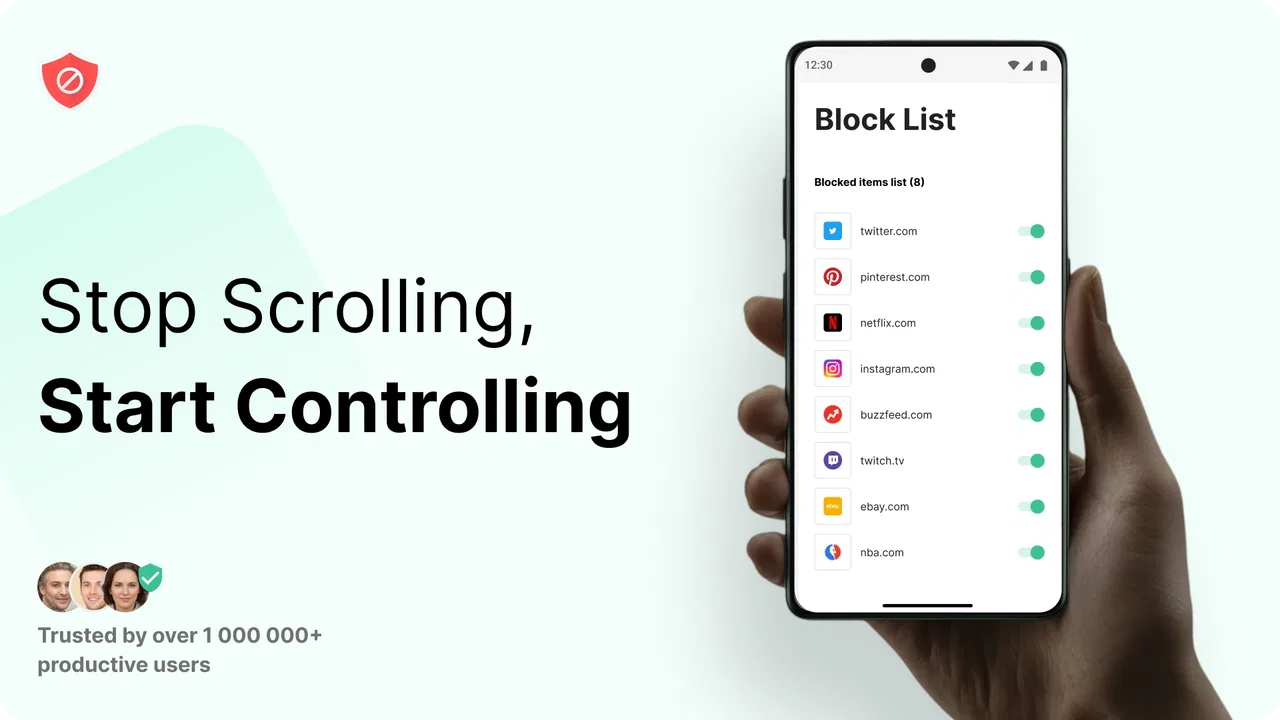
- Simple interface makes blocking lists quick to manage.
Cons
- Some useful features require a premium subscription.
- Blocking may be less effective in browsers or apps it cannot monitor.
- VPN-based blocking can conflict with other VPN services.
- Determined users may find ways to bypass restrictions.
- Heavy blocking rules may affect legitimate links or websites.

BlockSite: Block Apps & Sites
Gallery